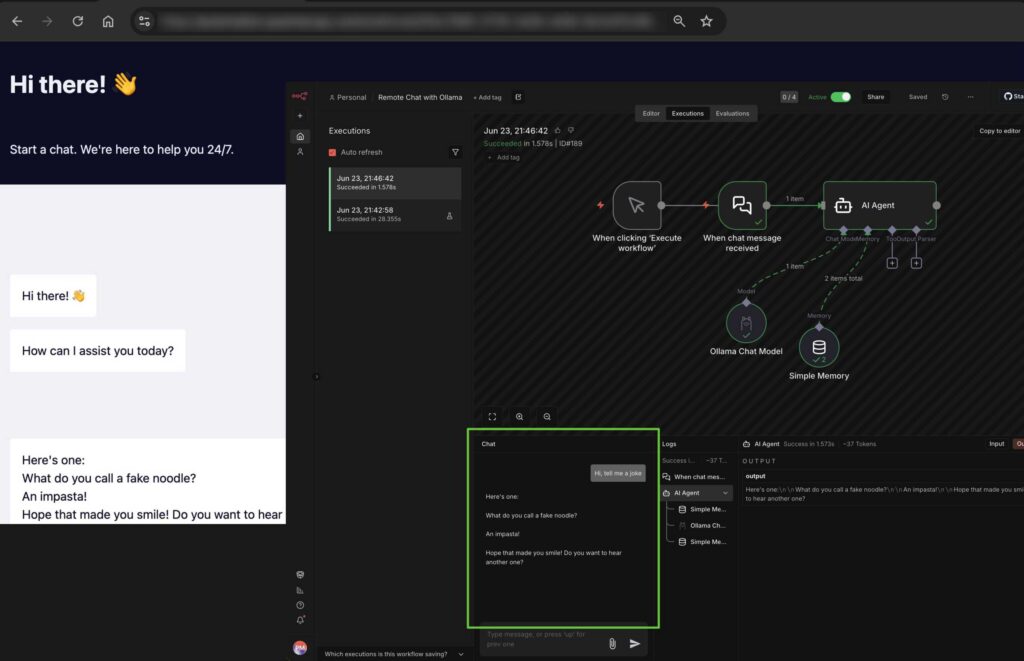
Running Ollama on your own computer is a total game-changer for messing around with local AI. But you know what’s even cooler? Being able to prompt that exact same home setup while sitting at a coffee shop halfway across the world.
Now, exposing a local machine to the wild web usually sounds like a fast track to getting hacked, but it’s actually remarkably simple to do safely. And honestly, as our PCs get beefier and more AI-capable, building a setup like this is quickly becoming the ultimate power-user move.
Why Bother Routing Your AI Remotely?
If you’re already running things locally, keeping a remote bridge open gives you some massive perks:
- Total Privacy: Your data stays on your own hard drive. No tech giants or third-party servers are snooping on your prompts.
- Saving Cash: You already paid for the hardware. Say goodbye to those annoying monthly SaaS subscriptions.
- Smart Home Synergy: You can safely hook your AI up to your local smart home setup, security cameras, or private files.
- Eco Perks: You’re optimizing your own gear’s energy use instead of spinning up massive data centers.
By the way: This isn’t just for basic web chatting. Once your machine is remotely accessible, you can pipe your environment straight into terminal tools and dev environments like Claude Code, Codex, or Antigravity CLI.
The Easiest Way to Do It: n8n + Cloudflare Tunnels
There are a few ways to bridge the gap, but the smoothest, most secure method is pairing n8n’s AI Agent with Cloudflare Tunnels.
Step 1: Lock Down the Connection
First, you need a safe way to expose your local setup. Instead of messing with complex network routing, watch this quick video walkthrough to get n8n running locally and safely broadcasting via a secure Cloudflare URL: 👉 Watch the Installation Tutorial on YouTube
Step 2: Build the Workflow
Once your n8n instance is live on the web, setting up the actual AI backend takes about two minutes:
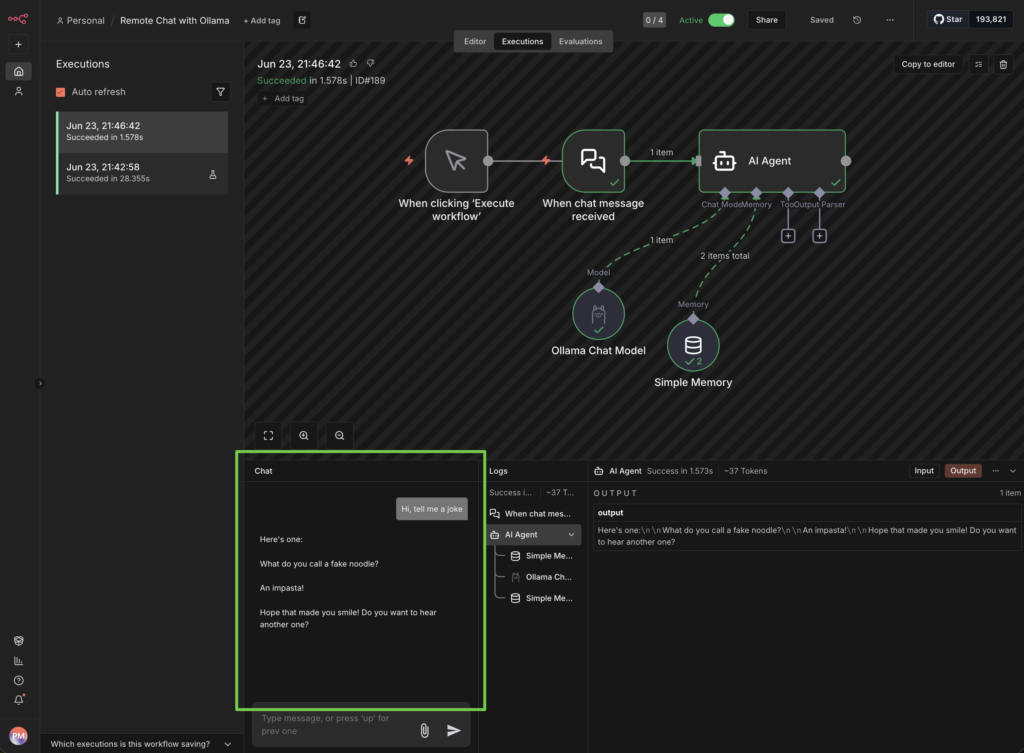
- Open up n8n and create a fresh workflow.
- Drop in a Chat Trigger node and wire it to an AI Agent node.
- Link your Ollama Chat Model to that agent, and slap on a Simple Memory node so it remembers what you said two seconds ago.
Step 3: Flip the Switch
Head into your Chat Trigger settings and toggle on “Make Chat Publicly Available.”
And that’s it. You officially have your own private, self-hosted AI chat interface that you can log into from any browser on earth.
Local AI is Only Getting Better
We are living in wild times for local hardware. Chip tech is exploding, and both Windows and Apple are baking AI directly into the core of their operating systems.
We’re also seeing a massive shift in how developers work. Code editors like VSCode can seamlessly bind to Ollama now, giving you robust autocomplete and coding assistance without needing an active internet connection or a paid subscription. Setting up a remote tunnel today isn’t just a fun project—it’s future-proofing your daily workflow for the next wave of private computing.